Customizing the Breadwinner Invoice and Contact Layouts
In a recent release, Breadwinner updated the QuickBooks Online Customer and Invoice page layouts. Most of our customers are happy with the change; however, a few have made their own customizations to those pages. Therefore, if you prefer the old layouts, have custom buttons, or have other technical reasons to revert to the older version, please follow the steps below.
Default Override
By default, the Breadwinner QuickBooks Online Customer and Invoice page layouts have been overridden with the Breadwinner custom visualforce pages listed below:
QuickBooks Online Customer: breadwinner_qbo__BAC_RecordInfo
Invoice: breadwinner_qbo__Invoice_RecordInfo
How to Revert to the Previous Page Layout
Salesforce Classic
Step 1: Go to Object → Buttons, Links, and Actions section → Edit View button
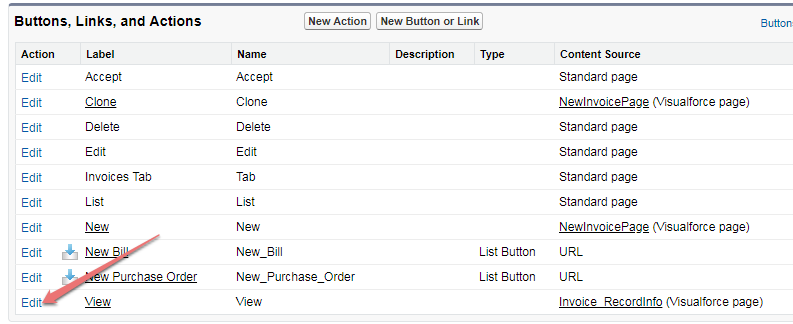
Step 2: Set Salesforce Classic Override as Standard page → Save

Salesforce Lightning
Step 1: Setup → Object Manager → Invoice → Buttons, Links And Actions → Edit View button

Step 2: This process is the same in both Classic and Lightning. Please refer to the Step 2 screenshot in the Salesforce Classic section above.
Control Custom Button Visibility on the New Invoice Layout
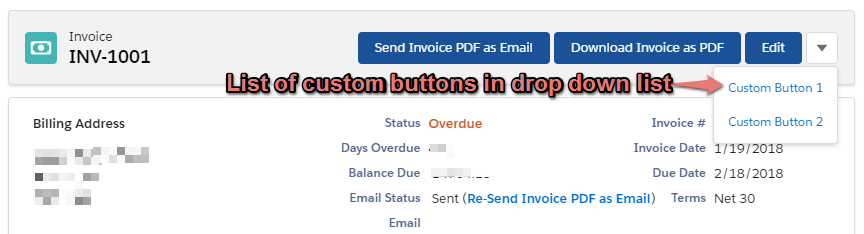
Custom buttons that exist on the Invoice object will appear as a dropdown as shown below:
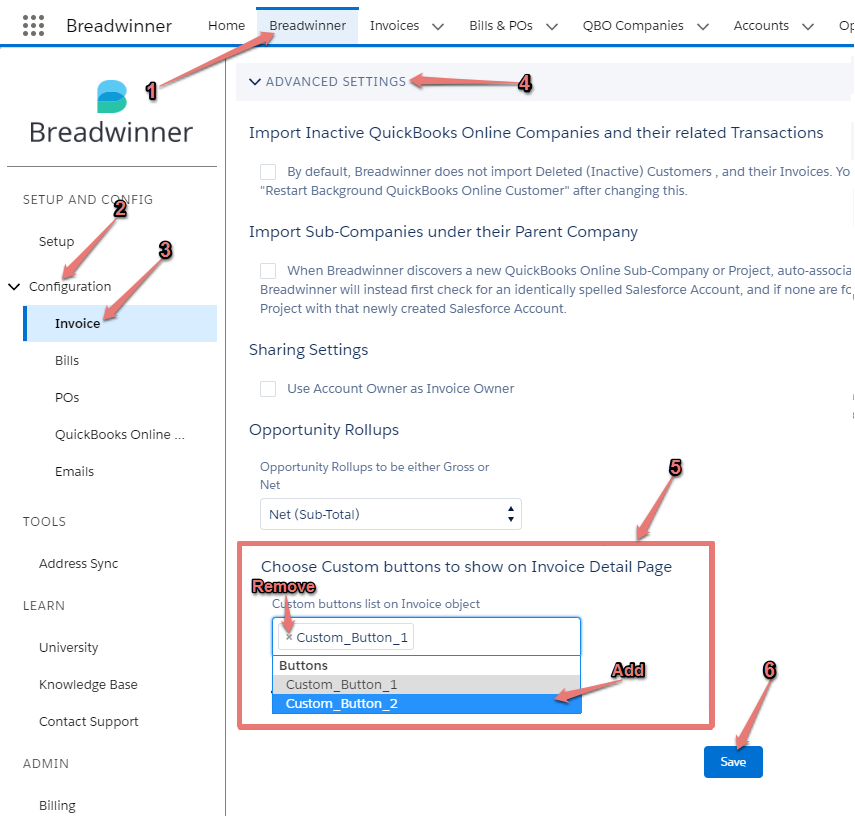
If you wish to add or remove custom buttons, you can do so by following the steps in the screenshot below: