Assign Breadwinner Permission Sets
1 min
Congratulations, you have successfully connected your Xero org with Breadwinner.
Now, let's assign the permission sets to the Users in your Salesforce org to restrict data access.
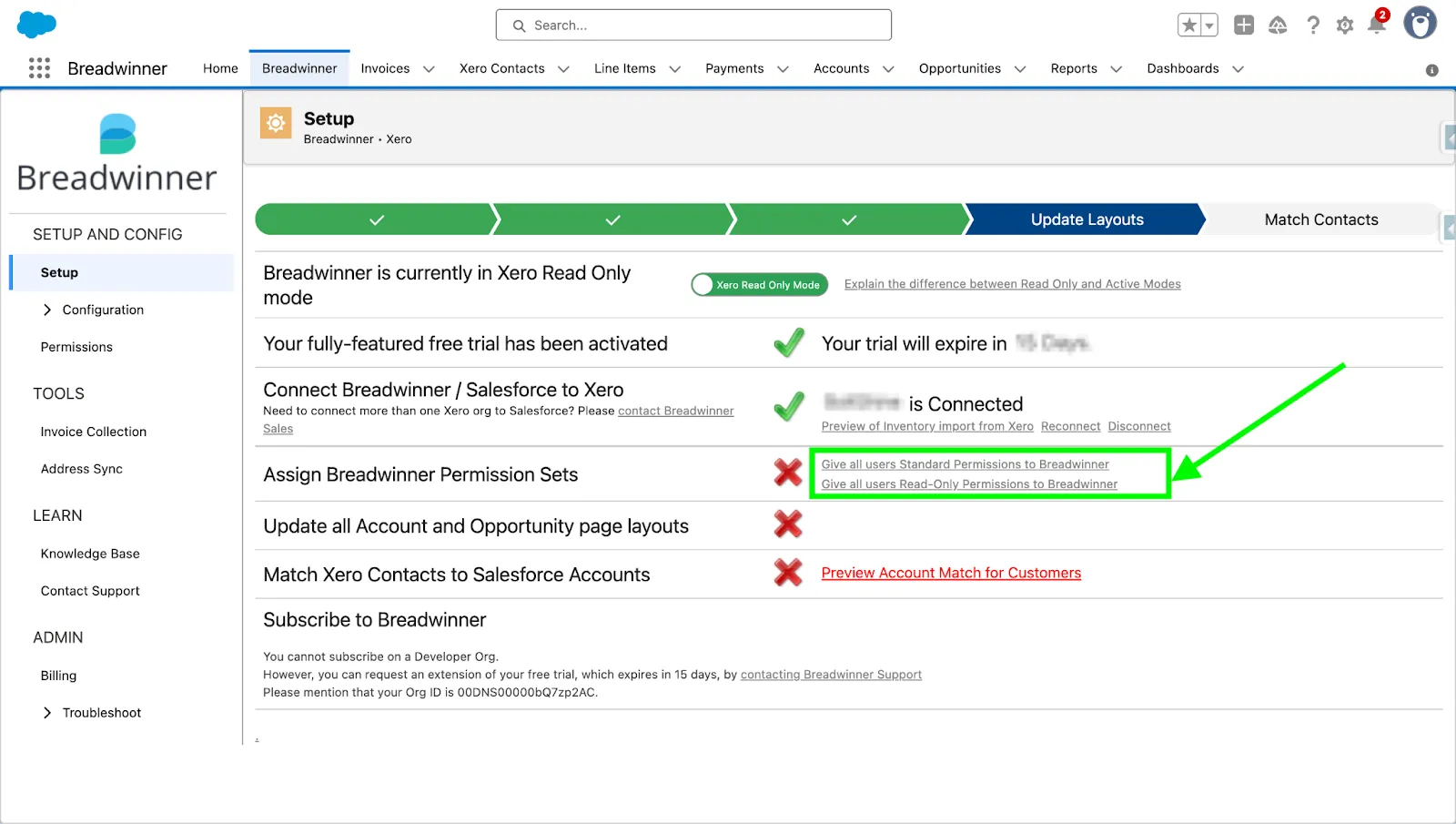
Setup page before permission assignment
Breadwinner provides four permission sets: Breadwinner Admin, Operations, Full, and Read-Only. Assign the permissions, as per your requirement, from the Breadwinner setup page UI (above screenshot) or the Permissions subtab under the configuration section, as shown in the screenshot below:
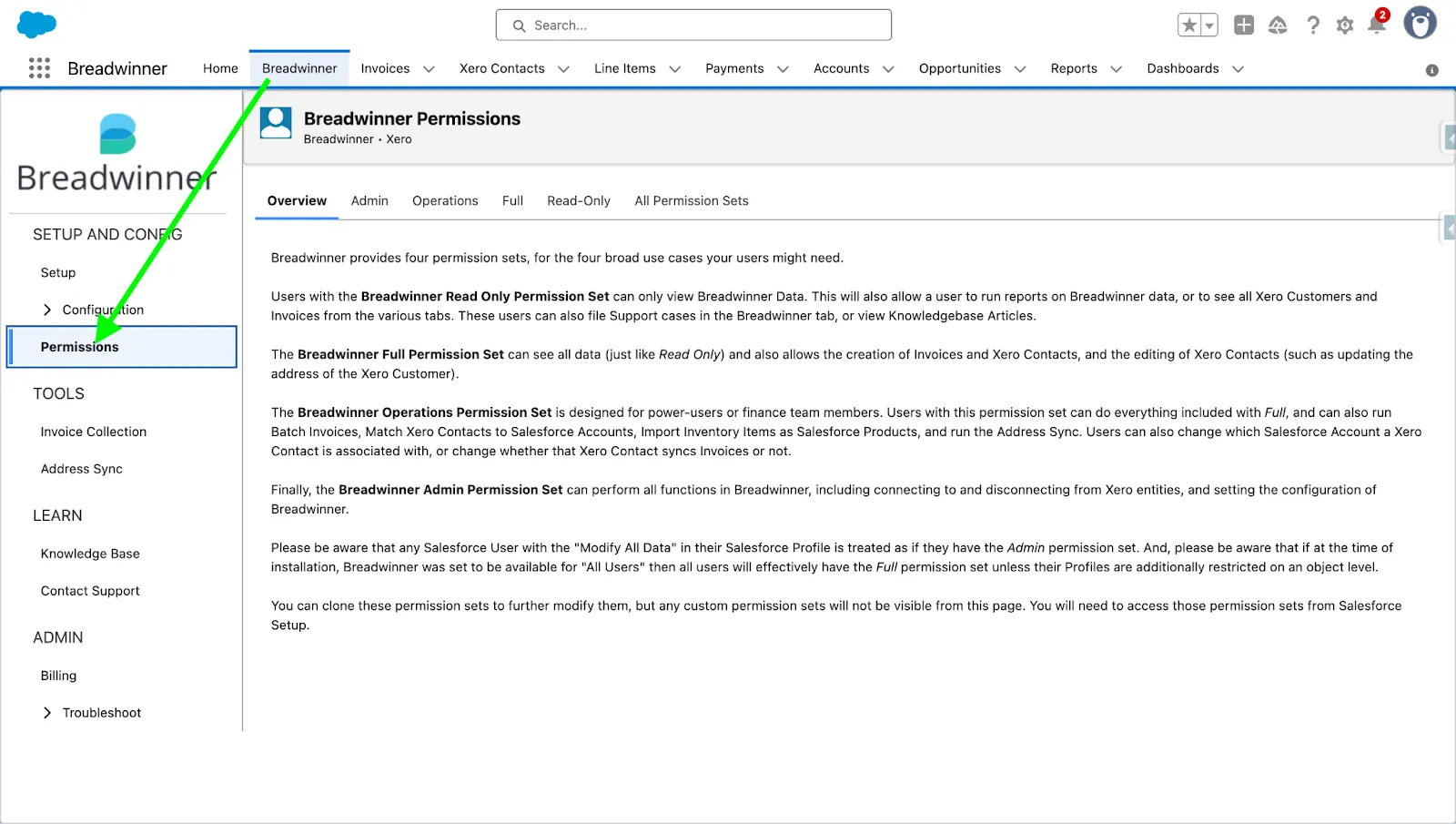
Permission List
Every Salesforce user who accesses Breadwinner data needs to have a Breadwinner permission set assigned. Users without a permission set may not be able to access Breadwinner data or may encounter errors.